What a GoHighLevel price tag is actually charging you for
A snapshot sells for a one-time price. Support subscriptions bill monthly. Onboarding bundles bill yearly. Here is what each shape costs an agency over a year.
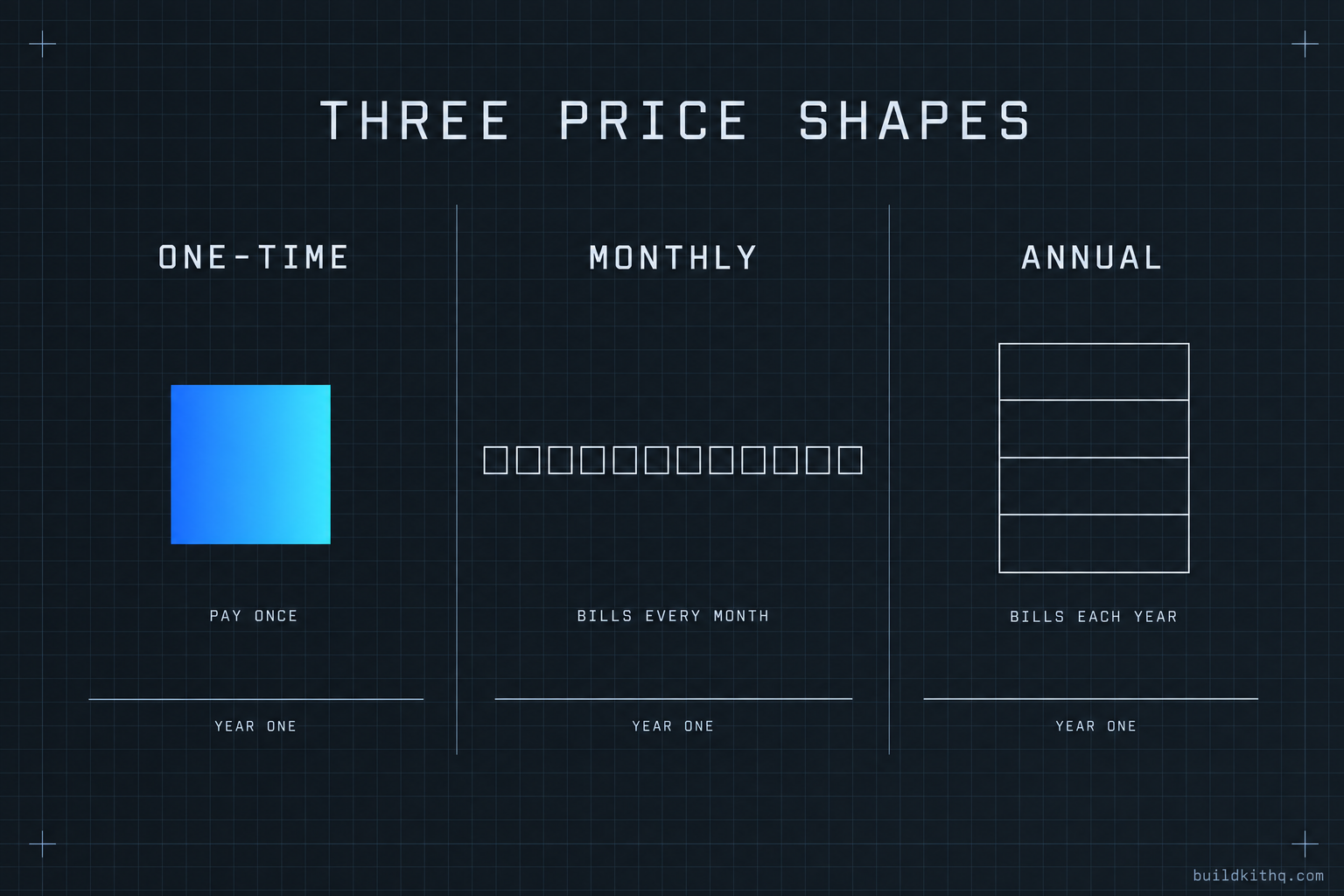
You have three browser tabs open and a spreadsheet you are trying to fill in. The first tab says $197 a month. The second says $1,525, once. The third has no price at all, just a button that says book a call. Somewhere behind you a fourth tab is a free snapshot you downloaded last week and never imported, because the last free one took a Saturday to un-break.
You want to put these in one column and rank them. They will not sit still. The monthly one looks cheapest until you multiply it by twelve. The one-time one looks expensive until you remember it does not renew. The one with no price is either the best thing you have ever seen or a way to spend forty-five minutes being sold to, and there is no way to know which without spending the forty-five minutes.
The problem is not that GoHighLevel pricing is high or low. The problem is that the numbers are different shapes, and a shape is not a size. This is a guide to reading the shape first, so the size means something when you get to it.
The subscription that sits under every snapshot
Start with the cost that does not go away no matter what you buy on top of it.
A snapshot is a file. It has to be imported into a HighLevel account to do anything, which means the HighLevel subscription is the floor under every other number on your spreadsheet. You are paying it whether you buy a kit, rent a support team, or build everything yourself at 2am.
HighLevel publishes three plans. As of September 2026, Starter is $97 a month and caps you at a handful of sub-accounts. Unlimited is $297 a month, removes the client ceiling, and turns on white-label and API access. Agency Pro is $497 a month and adds SaaS mode, where you resell HighLevel as your own software and set your own client price. Every plan carries a 14-day free trial. Usage for texts, calls and AI runs on top of all three and scales with volume, so the plan price is a floor and not a ceiling.
For an agency running client sub-accounts, Unlimited is the working plan. That is $297 a month, or $3,564 across a year before you have bought a single funnel. Nothing in this guide changes that number. A snapshot does not replace your HighLevel account, it fills it. Any comparison that quietly leaves the platform cost out is comparing a car to a car payment.
Keep that $3,564 in your head. It is the same under all four of the shapes that follow, which is exactly why it should not be part of the decision between them.
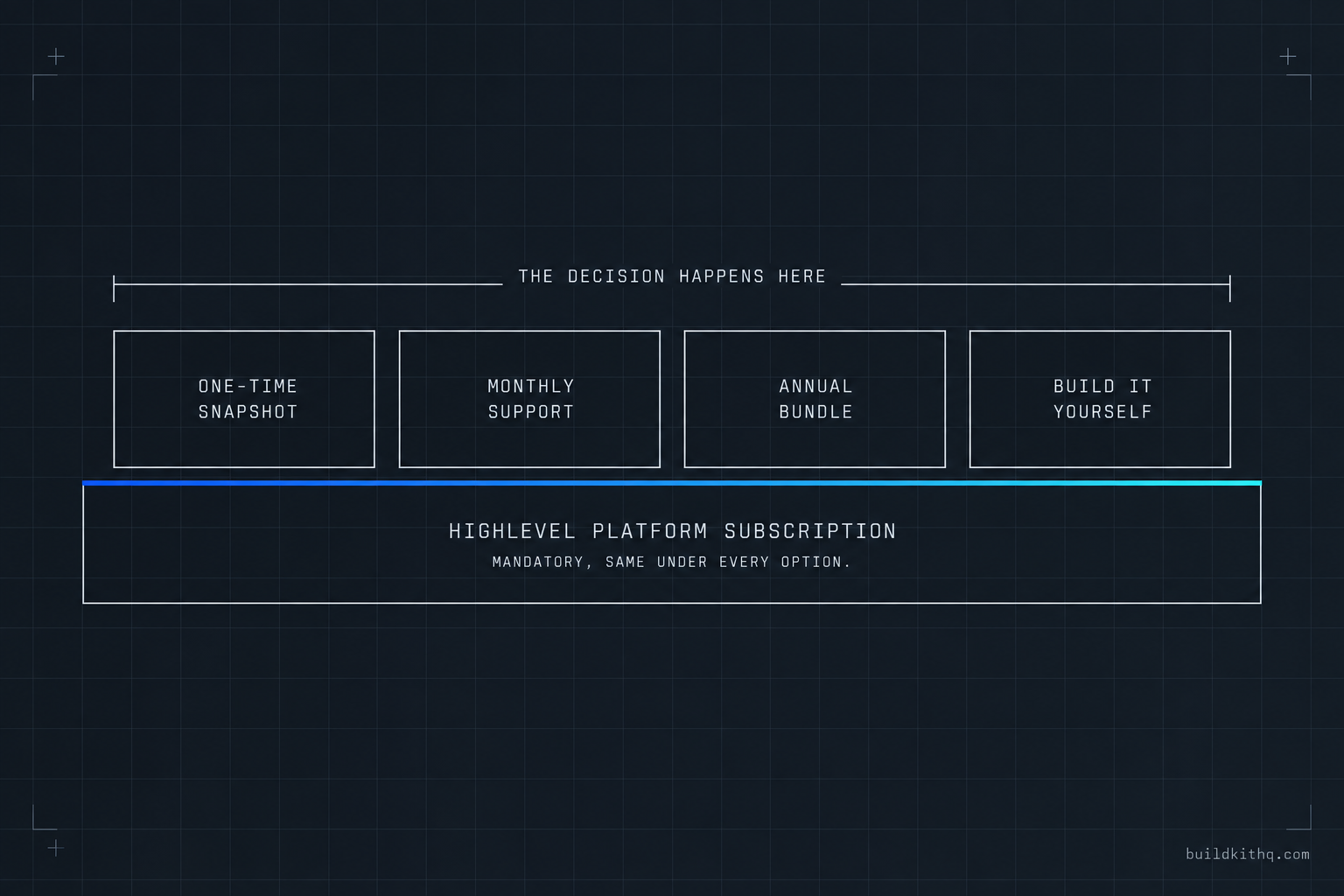
The four shapes a GoHighLevel price comes in
Above the platform, money leaves your account in one of four shapes. Each one is priced on a different clock, and the clock is the thing that actually determines what you pay.
One-time: you buy the build
You pay once and you own the result. This is how a snapshot kit is priced. The HVAC contractor build sells for a set figure, the salon and barber build for less, the mortgage broker build for more, and the number on the page is the number you pay. On this site the kits run from $875 at the low end to a little under $2,400 at the top, and the full price list is on one page with the contents of each build named before you reach the button.
What you are buying is the funnels, the workflows, the pipelines, the calendars, the forms and the message copy, already wired together for one trade. Installation is free with every kit, and the price includes 10 hours of dedicated installation support, to be used within 12 days of purchase. After that window, more work is quoted and paid as work. The clock on a one-time price is that there is no clock. Pay it, import it, and the number is done.
Monthly: you rent a team
You pay every month and the payment buys people, not a build. This is the white-label support model. Growthable publishes its pricing: an Agency AI plan from $197 a month covering up to thirty-five sub-accounts with a seven-day trial, and white-label human support from $549 a month, where real staff answer your clients’ tickets and live chat under your brand. HL Pro Tools also publishes tiers, starting around $197 a month and climbing for more coverage.
The thing a subscription buys is ongoing. Someone is on the other end of a chat window when your client cannot find the calendar link. That is genuinely valuable and it is not what a snapshot is. It is also a payment that renews on the first of every month for as long as you keep it, so its true size is the monthly figure times the number of months you will run it, not the monthly figure on its own.
Annual: you commit for a year
You pay once a year, usually after a demo, and the number covers a bundle of onboarding and assets. Extendly sits here. Its pricing leans annual and is sold through a demo rather than printed on a plan card, and independent comparisons of the white-label support shops describe it as the higher-commitment, onboarding-heavy option of the group. I could not confirm a current Extendly figure directly from the company this run, and the numbers that float around on comparison sites are annual and sometimes promotional, so treat any single quote as a starting point rather than the price.
The annual shape is the hardest to compare on the spot, because it is one large number that covers a year of things, and you have to divide it back down to compare it against a monthly plan or a one-time kit. Do the division before the call, not during it.
Do-it-yourself: you pay in hours
The fourth shape has no invoice. You build the account yourself and the price is your time. This is the one agencies underprice most badly, because the hours do not show up on a card statement. If a from-empty niche build takes you the better part of a working week, the real cost is that week multiplied by whatever your billable hour is worth. For an agency owner who charges clients by the hour, that number is often larger than any of the three priced options above, and it is invisible until you write it down.
The honest version of build-it-yourself is not free. It is “free of cash and expensive in time,” and whether that trade is worth it depends entirely on your own hourly rate, which is a number only you have. There is a build service for the agencies that would rather hand the hours to someone else, and its whole reason to exist is that the DIY shape is rarely as cheap as it looks.
Where agencies misread the price
Four mistakes come up on almost every spreadsheet. Each one is a case of reading the size before the shape.
Comparing a monthly bill to a one-time price
This is the big one. You see $197 a month next to $1,525 once and the monthly number feels smaller, so it wins the glance. Then you keep the subscription for a year and it is $2,364, and for a second year it is $4,728, and the one-time price you skipped is still $1,525 and always will be.
What you see: a small monthly number beating a larger one-time number. What is actually wrong: you compared one month of one thing against the entire lifetime of the other. The fix: put everything on the same clock before you rank it. Multiply every monthly figure by the number of months you will realistically run it, and only then set it beside the one-time number. The shapes have to match before the sizes are worth comparing.
The “starting from” number that climbs on the call
A published price that begins with “from” or “starting at” is a floor, not a quote. A price hidden behind a demo is a number you do not know yet. Neither is dishonest on its own, but both behave the same way on your spreadsheet: they occupy a cell with a figure that is going to move once a salesperson has your revenue in front of them.
What you see: a low anchor, or a friendly “let’s find the right fit for you.” What is actually wrong: the anchor is doing a job, which is to make the real number feel reasonable by comparison when it arrives. The fix: write the anchor in your spreadsheet in a different colour and treat it as unconfirmed until you have the real figure in writing. If a seller will not put a number in writing before the call, that is information about the price, and it is rarely that the price is low.
The cheap or free snapshot that bills you in hours
A free snapshot is priced in the same currency as the DIY build: your time. The download costs nothing and the repair costs a weekend. Workflows point at custom values that do not exist in your account, a calendar is wired to somebody else’s Google login, and the A2P registration was never done so nothing sends. You did not pay for the file, so you pay for it in the hours spent finding out what is missing.
What you see: $0, or a price well under the $850 that a complete niche build tends to start at. What is actually wrong: an incomplete build is not a discount, it is deferred labour, and the labour lands on you at the worst possible time, which is usually the day before a client goes live. The fix: price a cheap or free snapshot at its sticker plus your estimate of the repair hours, and compare that total. Often the “expensive” complete kit is the cheaper of the two once the hours are counted. This is also why the listings that name their contents before you buy are worth more than the ones that show a count and hide the rest.
Forgetting the platform is separate and mandatory
Some agencies budget the build and forget the floor. They approve a $1,525 kit, or a $549 a month support plan, and are surprised by the HighLevel invoice, because in their head the tool they bought was the whole cost.
What you see: one number for the thing you are buying. What is actually wrong: that number sits on top of the $297 a month platform subscription, which is real and recurring and yours regardless. The fix: budget the platform as a fixed line that never moves, then make the build decision in the layer above it. The platform cost is the same under all four shapes, so it is noise in the comparison between them and a hard line in your monthly total. Keep it in both places and confuse it with neither.
The year-one arithmetic, laid out
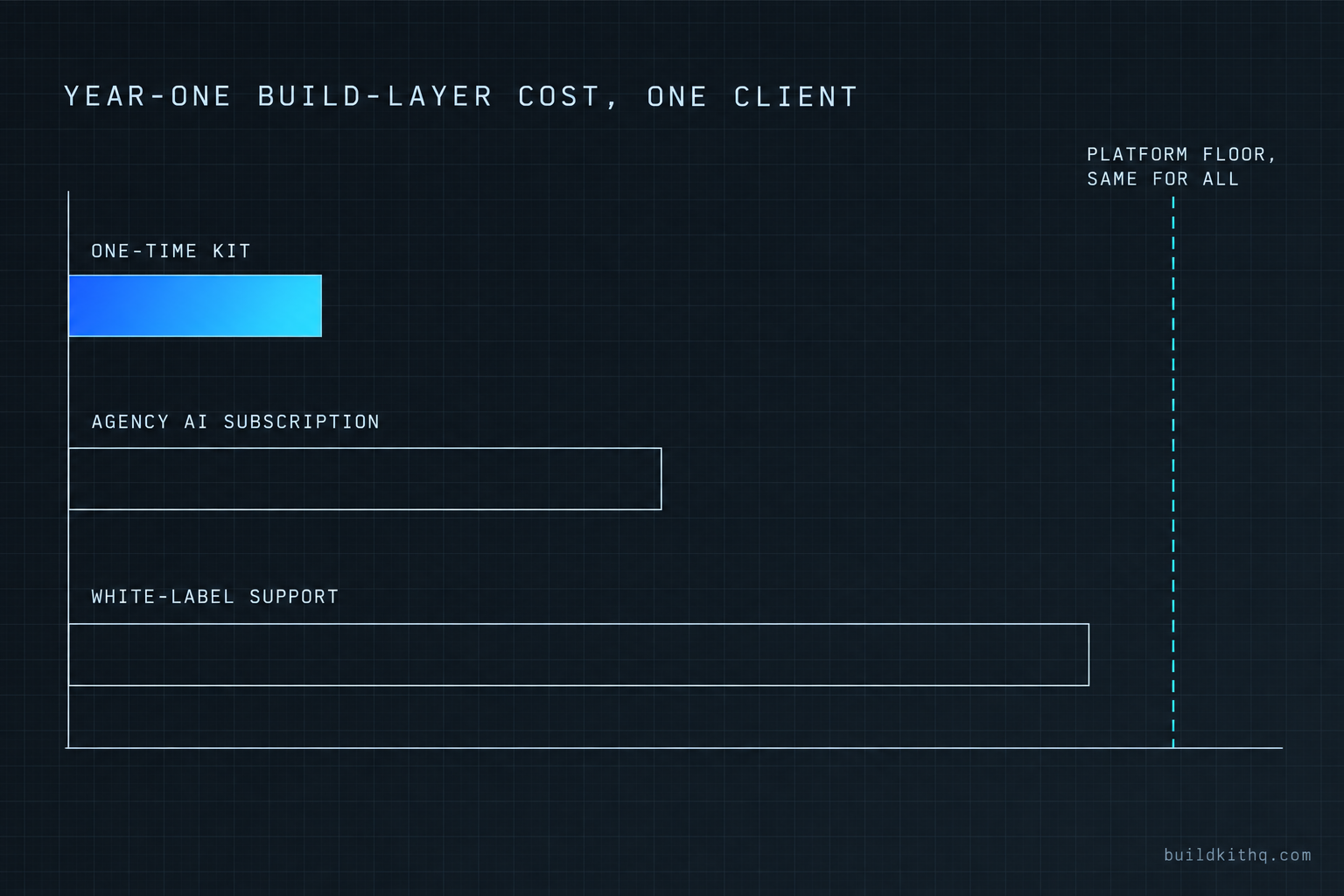
Here is the whole thing on one clock, for one new client sub-account, so the shapes finally sit still next to each other.
Assumptions, printed so you can swap your own in: one agency, on HighLevel Unlimited at $297 a month, standing up one client sub-account. Prices are the published figures as of 14 September 2026. Monthly plans are counted at twelve months for a year-one total. Usage fees for texts, calls and AI are left out because they vary by volume and land on you the same way under every option. Substitute your real plan and your real numbers and the ranking may shift, which is the point.
| What you pay for | Billing shape | Year-one build-layer cost | Year two |
|---|---|---|---|
| HighLevel Unlimited (the platform floor) | Monthly, mandatory | $3,564 | $3,564 |
| BuildKitHQ HVAC kit | One-time | $1,525 | $0 |
| Growthable Agency AI | Monthly subscription | $2,364 | $2,364 |
| Growthable white-label support | Monthly subscription | $6,588 | $6,588 |
| A snapshot you build yourself | Your hours | your rate times the hours | maintenance hours |
Read the build-layer column, not the platform row, because the platform is identical everywhere. In year one the one-time kit is the smallest cash number in that column, and in year two it is zero while every subscription bills again. That does not make the subscription wrong. It makes it a different purchase. The support subscription is buying a team to answer your clients for a year; the kit is buying the build once. If you need both, you pay for both, and now you know what each is actually costing you rather than guessing from the sticker.
The DIY row is the one to take seriously and the one with no printed figure. Fill it in yourself. Take the hours a from-empty build in a new trade genuinely costs you, multiply by your effective hourly rate, and put the result in the table. If that number comes out below the kit price, and you have the week to spare, building it yourself is the rational call and nobody should talk you out of it. If it comes out above, you have just found the reason kits exist.
The objections worth taking seriously
Three arguments push back on all of this, and the strongest versions of them are worth answering straight.
“A subscription includes support. A one-time kit leaves me on my own.” This is the fair one, and it is half right. A support subscription buys an ongoing team, and a kit is not that. But a kit is not nothing after purchase either. Every BuildKitHQ kit includes 10 hours of dedicated installation support, to be used within 12 days of purchase, and those hours cover the install itself, rebranding the site, A2P 10DLC registration and email domain setup. The difference is honest: the subscription is support that renews forever, the kit is a fixed allowance inside a window, and after the window further work is quoted. If your clients generate a constant stream of support tickets, the subscription earns its recurring fee. If what you need is the account built once and handed over, you are renting a team to do a job that finished in week one.
“Cheaper snapshots exist, and free ones exist.” They do, and some of them are fine for what they are. The honest position is not that cheap is bad, it is that price and completeness are the same conversation. A build under the $850 mark that a complete niche kit tends to start at is usually leaving something out, and the something is normally the wiring, which is the part that takes the longest to rebuild. If a cheaper snapshot names its full contents and you have checked them against what the trade needs, buy it with confidence. If it shows a headline and hides the list, price in the repair. Free is a real option for someone with time and no cash, and a poor one for someone with clients and no weekends.
“Why buy from you instead of building it myself?” Sometimes you should build it yourself, and this is the argument against us that I will make for you. If you already know the trade cold, you have built its account structure before, and you have a clear week with nothing billable competing for it, build it. You will get exactly what you want and you will learn the account in a way that buying never teaches. Buy a kit when the opposite is true: when the week is not free, when the trade is new to you, or when a client is waiting and a rushed build is the alternative. The kit is not a claim that you cannot do it. It is a way to not spend the hours, on a build that arrives connected and listed before you pay for it. If you would rather not touch it at all, that is what the done-for-you build is for, and if you are still deciding, the questions page covers the ones that come up most.
None of these four shapes is the villain. The mistake is ranking them by the size on the sticker before you have read what clock the sticker runs on. Read the shape, put everything on the same year, keep the platform floor in its own line, and the number that wins is usually the one that was quietly winning all along.
Quick answers
Over a year, usually yes, because a one-time price stops after you pay it and a subscription renews every month. But they buy different things. A snapshot is the build itself. A support subscription is a team answering your clients. Many agencies end up paying for both, for different reasons.
Yes. A snapshot is a file you import into a HighLevel account, so the HighLevel subscription sits underneath it either way. Unlimited runs $297 a month as of September 2026. No snapshot removes that cost, because the snapshot cannot exist without an account to live in.
A demo-led sale lets the seller anchor the number to your revenue rather than to the work. It is not always a trick, but it means you cannot compare it against a published price until you have spent the call. Read a quote-only offer as a price you do not know yet, not a price that must be high.
Installation is free with every kit, and you get 10 hours of dedicated installation support, to be used within 12 days of purchase. Those hours cover installing the kit, rebranding the site, A2P 10DLC registration and email domain setup. Third-party integrations and custom development are quoted separately.
Keep reading
What a finished GoHighLevel account does with a lead
A lead moves through five stages in a finished GoHighLevel account. Here is what each stage is wired to, and the handoffs where a half-built one drops it.
Read itThe AI receptionist in your kit answers, but never books
An imported kit's AI receptionist replies around the clock and books no one. Here is the booking path underneath, the four places it breaks, and the fix.
Read itThe four ways to catch a lead your client's phone missed
A missed call is a lost client. Compare the GoHighLevel AI Receptionist, a human VA, missed-call text-back and voicemail on the eight things that matter.
Read it